
The Europass CV is one of the most widely used templates in continental Europe. While it is useful for applications within the European Union public sector, it is highly disliked by corporate recruiters in the United Kingdom and the United States. In fact, submitting a Europass CV to a British or American company often results in immediate rejection by Applicant Tracking Systems (ATS) or HR screeners.
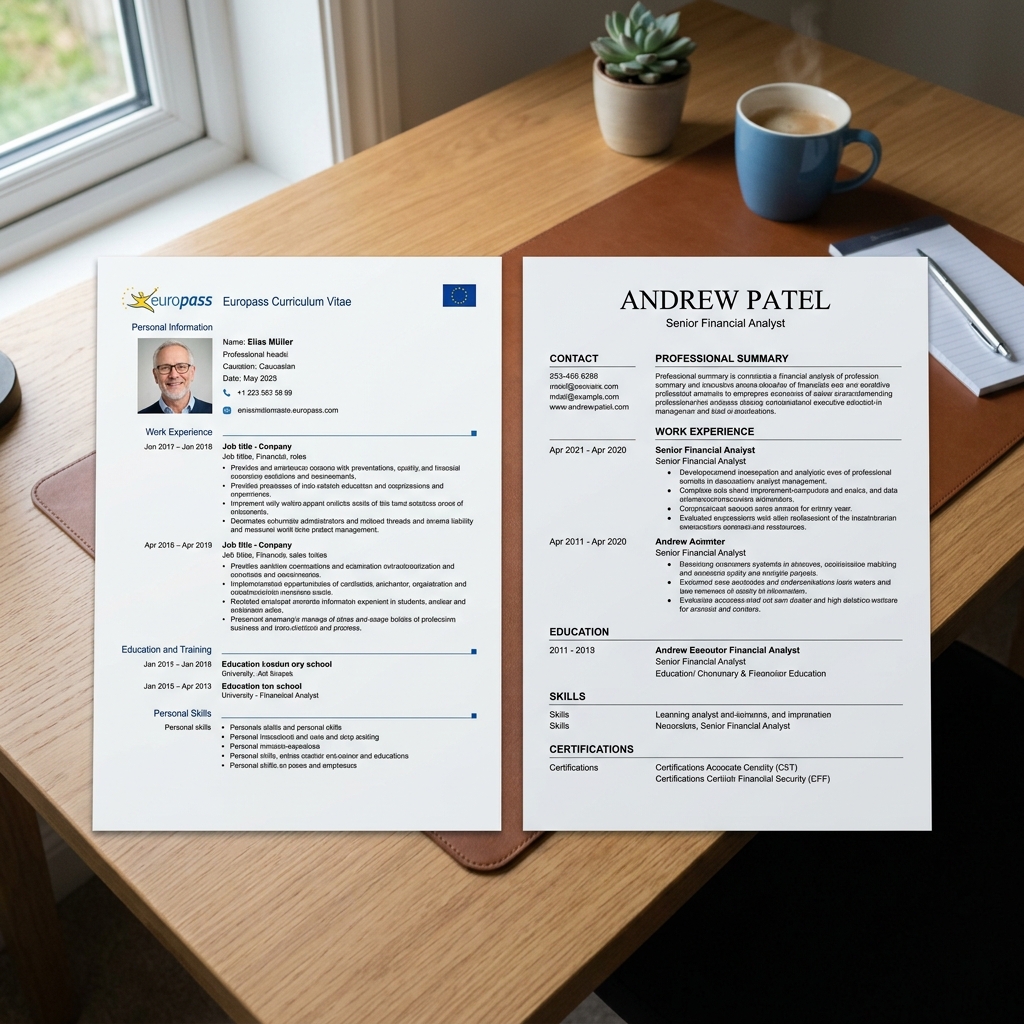
The reasons are structural. The Europass layout uses a bulky two-column grid that wastes valuable white space, features a large blue logo that distracts from your content, and includes personal demographic information that violates UK and US anti-discrimination regulations.
If you are planning to transition your job search, you can use our CV Builder to create a clean, single-column UK or US layout. Before applying, copy and paste your draft into our ATS Optimizer to check if your new resume is fully readable by recruiting parsers.
Why Recruiters in the UK and US Dislike Europass
Understanding the recruiting culture in Anglo-American markets explains why the Europass layout is ineffective:
- Discrimination Compliance: UK and US labor laws strictly prohibit employers from hiring based on age, gender, race, or marital status. Europass templates contain fields for photos, date of birth, gender, and nationality. To avoid legal liability, many HR departments instantly discard resumes containing this information.
- ATS Unfriendliness: Modern ATS parsers read documents left-to-right, top-to-bottom. The two-column grid, tables, and icons in the Europass layout can scramble the text during parsing, causing your skills and experience to disappear from the recruiter's search index.
- The "Six-Second" Rule: The average recruiter spends only six seconds reviewing a resume before making a decision. The Europass layout positions your contact details and a list of generic skills in a wide left-hand column, pushing your professional achievements onto page two or three.
Step-by-Step Europass to UK/US Conversion Guide
Step 1: Strip All Protected Personal Information
Remove the following elements from your document:
- Your profile photo.
- Your date of birth, age, or place of birth.
- Your gender, marital status, and nationality.
- Your exact street address (in the UK/US, just listing your City and Country, e.g., "London, UK" or "Boston, MA" is sufficient).
Step 2: Convert to a Clean Single-Column Layout
Transition from the rigid two-column table to a clean, vertical chronological structure. Your sections should be arranged in this order:
- Header: Contact details and right-to-work status.
- Personal Statement (UK) / Professional Summary (US): A 3-4 sentence value proposition.
- Core Technical Skills: A bulleted list or matrix of keywords.
- Professional Experience: Chronological job history with quantified achievements.
- Education: Degrees, institutions, and graduation years.
Step 3: Rewrite Experience from Duties to Achievements
European CVs often list daily duties (e.g., "Responsible for managing sales reports"). UK and US employers require quantified results and active verbs.
- Europass Style (Duty): Responsible for analyzing website traffic.
- UK/US Style (Achievement): Analyzed website traffic using Google Analytics, identifying a checkout bottleneck and implementing changes that boosted conversion rates by 14%.
Step 4: Adjust Educational and Language Terminology
If you were educated in Europe, localise your degree titles to make them understandable to UK or US recruiters:
- Instead of: Licentiate / Laurea / Diplom.
- Use: Equivalent to a UK/US Bachelor's Degree.
- For language skills, avoid the European CEFR levels (A1 to C2). UK/US recruiters are unfamiliar with these codes.
- Instead of: English C1, German B2.
- Use: English (Fluent), German (Conversational).
Comparison Table: Europass CV vs. UK/US Resume
| Formatting Element | Europass CV (Europe) | UK/US Resume Format |
|---|---|---|
| Profile Photo | Standard (Often mandatory). | Strictly forbidden (Unless applying for acting/modeling). |
| Demographics | Date of birth, gender, nationality included. | Omitted to prevent hiring bias and ensure compliance. |
| Layout | Two-column grid with a blue left sidebar and logo. | Single-column, black-and-white, minimal graphics. |
| Length | Flexible (Often 3 to 4 pages). | Strictly capped at 2 pages maximum (1 page for early-career). |
| References | Full contact details of referees listed. | Omitted ("References available upon request"). |
Frequently Asked Questions
Do I need to translate my job titles?
Yes. If your official job title in your home country is highly specific or in another language, translate it to the closest equivalent UK/US corporate title. For example, change "Stagiair" to "Marketing Intern" or "Responsable Clientèle" to "Client Relationship Manager" so recruiters understand your level of responsibility.
Should I list my high school education?
If you have a university degree and more than two years of professional work experience, omit your high school or secondary school education. Recruiters are only interested in your highest level of education and your professional achievements.
How do I handle my right-to-work status on a UK/US resume?
If you are applying from Europe and require visa sponsorship, state it clearly at the top of your resume, directly below your contact details (e.g., "Right to Work: Requires Skilled Worker Visa sponsorship"). For more detailed advice, read our guide on how to write a resume for UK Skilled Worker Visa applications.
UK/US Resume Conversion Checklist
Verify your new document meets Anglo-American recruiting standards:
- No Photos or Birthdates: Demographic details are completely removed.
- Single-Column Design: The document layout contains no complex tables or vertical split-columns.
- Action Verbs Used: Experience bullet points start with strong verbs (e.g., designed, optimized, negotiated).
- No Double Quotes inside Blockquotes: Ensure blockquote examples do not contain manual double quotes.
- Three Short Tags: The post's frontmatter contains exactly three short tags.
- Relative Internal Links: All links to the builder, optimizer, and interview coach are relative.
Ready to build your perfect CV?
AlignCV helps you create ATS-friendly CVs and tailored cover letters with AI.
Create Your CV NowWritten by
Mehmet Kerem Mutlu
Founder of AlignCV · Mechanical Engineering Student
Mehmet Kerem is a mechanical engineering student and the founder of AlignCV — an AI-powered career platform built to help every job seeker land their next role with confidence. Combining his engineering mindset with a passion for product development, he designs tools that make CV writing, cover letter generation, and interview preparation faster and smarter. He writes about career strategy, AI in hiring, and the future of work.